From brilliant to oval in one click
Choose a new shape and a length / width ratio: Facet Lab recalculates the facets, angles and index to keep the spirit of the original diagram.
Facet-by-facet diagrams, calculated angles and index, light return simulated according to the material’s refractive index.
The cutting sheet follows the actual order of work at the machine: pavilion, transfer, then crown, with angle and index for each tier.
| # | TIER | ANGLE | INDEX /96 |
|---|---|---|---|
| 01 | Mains p. | 40.80° | 96-12-24… |
| 02 | Halves p. | 41.50° | 03-09-15… |
| 03 | Table | 0.00° | — |
| 04 | Stars | 15.00° | 06-18-30… |
| 05 | Mains c. | 34.50° | 96-12-24… |
| 06 | Halves c. | 42.00° | 03-09-15… |
Angles, index, meet points and rendering are updated automatically. Every value remains adjustable by hand.
Choose a new shape and a length / width ratio: Facet Lab recalculates the facets, angles and index to keep the spirit of the original diagram.
| SAPPHIRE | QUARTZ | |
|---|---|---|
| Refractive index | 1.760 | 1.544 |
| Critical angle | 34.6° | 40.4° |
| Pavilion mains | 40.80° | 43.00° |
| Crown mains | 34.50° | 42.00° |
A cut optimized for sapphire can be transposed to quartz: the angles are recalculated for the new refractive index. You stay in control of every value.
Specify a cylindrical or conical lap, its diameter and its orientation: Facet Lab calculates the curved surface of each facet, its meet points and its effect on brightness in the render.
Most often on the pavilion, sometimes on the crown: choose the tiers and the width of the band, and Facet Lab adds a thin frosted facet along each edge. The render immediately shows what frosting changes: a white line that outlines the stone and a different brilliance, where a soft, satin glow joins the sparkle. A whole tier can also be frosted in one click.
Tourmaline, ametrine, zoned sapphire: define two color zones and the plane that separates them, then orient the cut to get a sharp transition or a blend across the table.
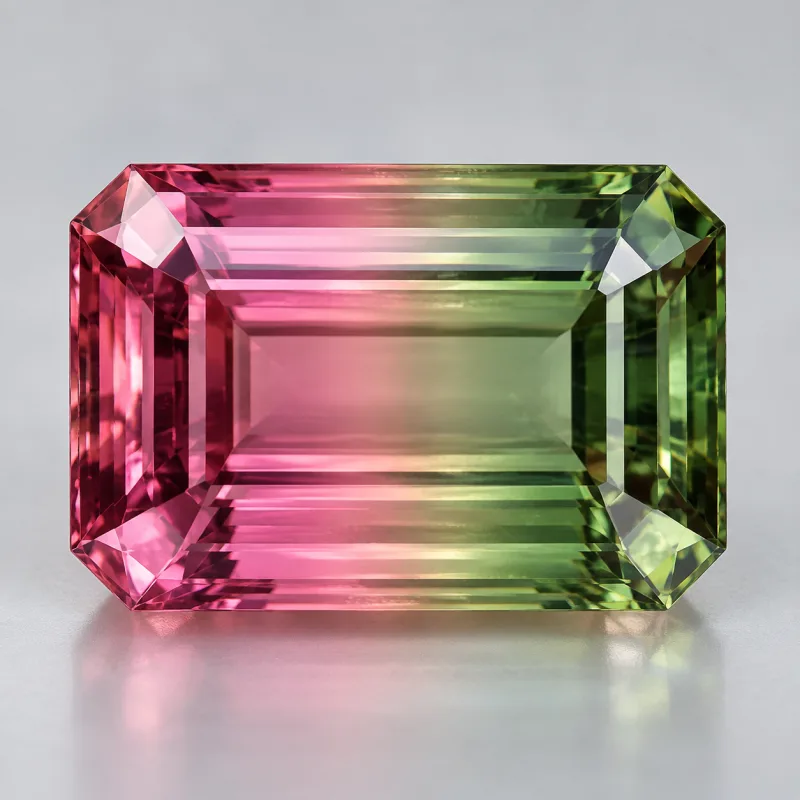
Combine separation planes and selected zones to reproduce the actual color distribution of the rough.
Add as many planes as there are colors, each with its own angle and position.
Draw a zone with the lasso or as an ellipse for a colored core, an inclusion or a spot.
Mix planes and zones on the same stone; each zone gets its own color and index.
Place the rough’s inclusions inside the stone, with sliders (position in mm, size, tilt) or by dragging them in the view: their effect is calculated by the render and counts in the scores and optimizations.
Healed fracture, a sheet of fine droplets: the render shows the silvery veil it gives at grazing angles.
Open fracture filled with air: white flash, total reflection, dead zones. You see before cutting whether the cut hides it or shows it off.
Rutile needles (the “silk” of corundum), clouds, gardens, crystals and tubes, placed one by one or as a cluster in one go.